I decided to take a break from porting Loser Corps to the ESP32, and do something completely different: port Loser Corps to the Raspberry Pi Pico!
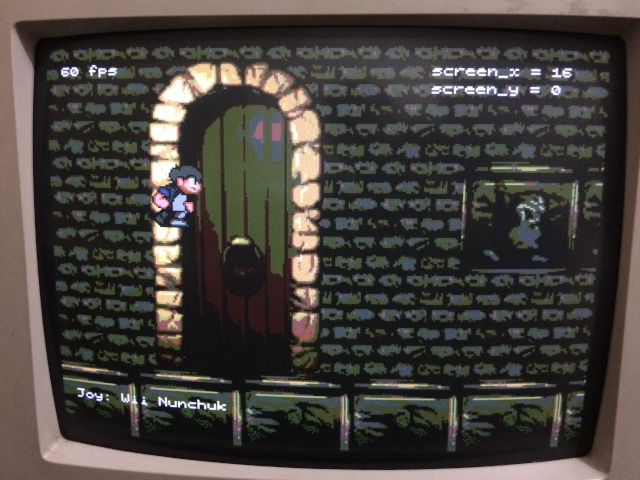
The Pico is smaller than the ESP32, with about half as much RAM, flash and clock frequency:
| ESP32-WROOM | Feature | Raspberry Pi Pico |
|---|---|---|
| (2x) Tensilica Xtensa LX6 | Processor | (2x) Arm Cortex-M0+ |
| 240 MHz | Clock | 133 MHz |
| 520 KB | RAM | 264 KB |
| 4 MB | Flash | 2 MB |
| 2.4 GHz | WiFi | nope |
The Pico (like the ESP32) can adjust its main clock frequency: 133 MHz is the official maximum, but I'm using it at 125 MHz because that makes VGA signal generation much simpler: the 12.5 MHz pixel clock required for the 320x240 VGA mode is exactly 1/10 of the main clock (well, technically it should be 12.59 MHz, but 12.5 is close enough).
There are some example programs that output VGA using an official library provided by the Raspberry Pi Foundation, but they don't work with my old CRT monitor. I haven't looked at the library or the examples too closely, but it seems that the pixel clock they use is too far away from the spec for my monitor: 640x480 should be 25.18 MHz, and from what I can tell the examples use 24.0 MHz.
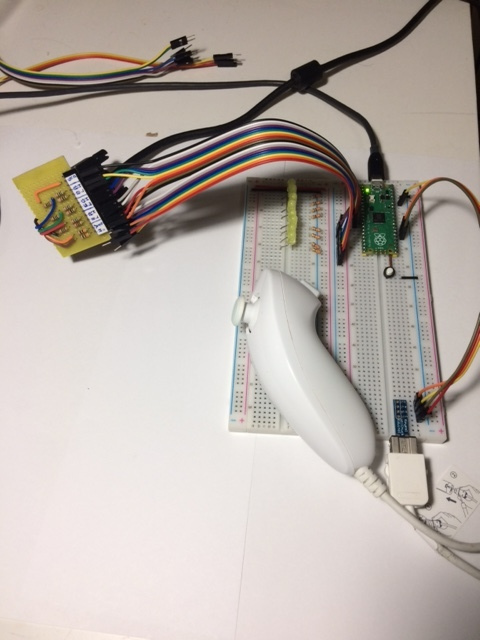
One of the cool things about the Pico is that it has a programmable input/output (PIO) hardware interface, which is basically a tiny specialized processor that can run programs that perform I/O operations independently from the main cores. I used the PIO (fed via DMA) for the VGA output.
After a lot of trial and failure, I went with an extremely simple PIO program: it's just a single instruction that gets data from the DMA and feeds it one byte at a time to 8 output pins. The data has to be prepared exactly the right way so the output is a correctly-timed VGA signal, which is stays right as long as the PIO program runs at a fixed frequency equal to the VGA pixel clock. In practice, this means that the images still need vertical and horizontal sync bits embedded in them, like in the ESP32.
Maybe I will make a more complex PIO program when I get more experience with it. It would be nice to make the program generate the vertical and horizontal sync signals automatically, and free 2 bits of image data for colors: we could have 3:3:2 bits for red:green:blue, increasing the number of colors from 64 to 256. For now, though, the output is exactly the same as the ESP32 (2:2:2), which is nice because I don't have to make new homemade DAC boards to connect to the monitor. Still, a really good advantage of the PIO (even running my brain-dead program) over the I2S bus we use on the ESP32 is that it doesn't scramble the byte order.
Even after everything was running, I ended up with problems with the IRQ handler for the DMA completion (which restarts the DMA to keep the PIO fed with data). When the CPU got too busy (for example, in areas of the map with too many things on the screen), the IRQ was being delayed enough do disrupt the video signal, and my monitor really didn't like it. In the end I managed to make the render loop run entirely without CPU supervision (it runs entirely on DMA shoving data into the PIO), and it only generates and IRQ for frame counting, which the game code uses to synchronize the framebuffer swapping (to avoid screen tearing).
The only parts actually done right now are the rendering and joystick input (Wii nunchuk and classic controller only). The character control and collision detection will be done soon.