More progress in porting Loser Corps to the ESP32 (see all posts about the port).
Working on the game network code, I was able to make two players (each running their own game a separate ESP32) see each other's characters:
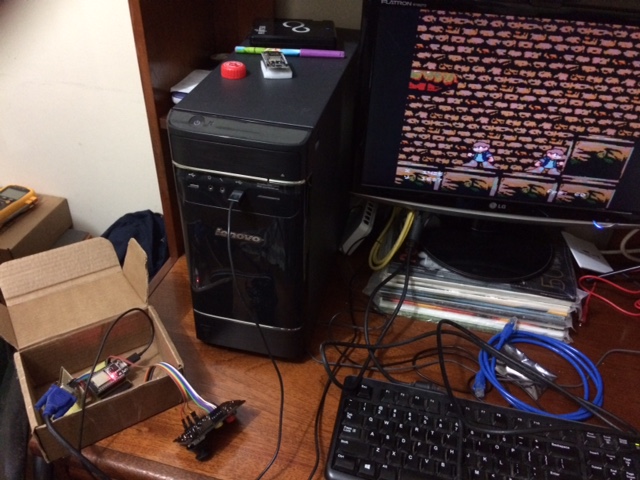
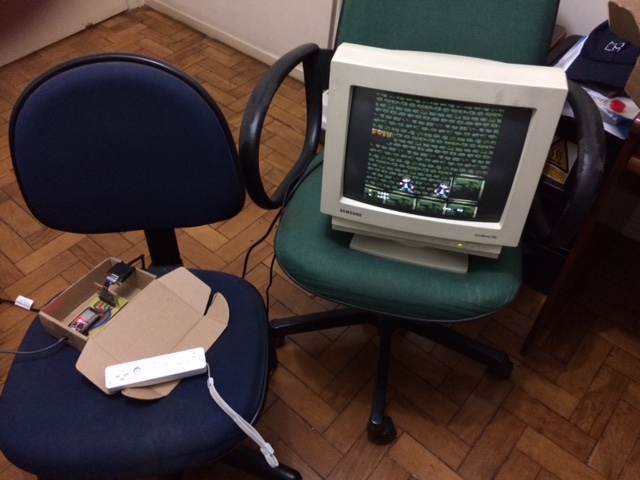
They're using ESP-NOW (a protocol made by Espressif, the makers of ESP32) to communicate. Currently code is very simple, it's really just a proof-of-concept. Each ESP32 keeps broadcasting messages containing its character's position and frame. When it receives a message, it puts a second character at the received location with the received frame to represent the remote player.
The network part was much easier than expected, I got it running a couple of hours after I was able to get WiFi running inside the game (I had researched how to send and receive messages using ESP-NOW prior to that). The hard part was freeing enough memory to get the WiFi system to start in the first place. If you look closely at the monitors in the photos, you can see that the image's borders are cut at the sides: the drawing area is only 240x240 pixels (as opposed to the usual 320x240). The monitor still thinks it's using the old resolution, in effect what I did was increase the horizontal front- and back-porch of the VGA timing, which decreases the horizontal resolution but keeps everything else unchanged (crucially, the hsync timing).
That took care of the RAM, but we also had a ROM problem: with the
added WiFi library, the program binary itself ended up too big to fit
the flash (at least with the default Arduino IDE settings). So I
removed some sprites, an entire tileset (castle) and cut some tiles
from another tileset (castle3). To do that I made the conv_spr
tool (in the conv_img directory in the Github repository) -- it's an
improvement of the tool I had made before but hadn't released.
The nice side of all that work is that now it's much easier to change the resolution with the new VGA code. It can also select between using double framebuffers (as before) or a single framebuffer. I made that when researching ways to decrease VGA memory use -- it turns out that the game almost runs well enough with a single framebuffer, but it's not quite fast enough to draw the whole screen during vblank (the time when the monitor is not actively drawing the image), so the top portion of the screen gets a little messed up if we try. That's why the solution I chose at the end was to decrease the resolution and keep using two framebuffers, but I kept the code to use a single framebuffer in case I need it for another project in the future.